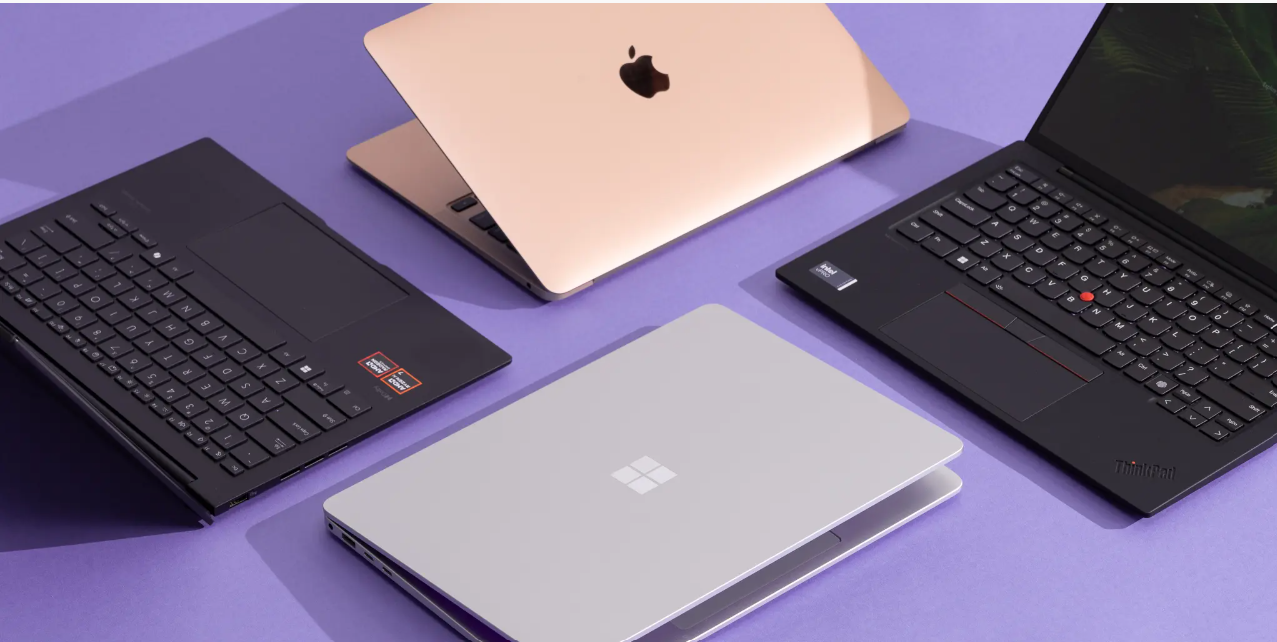
1. Apple MacBook Air M4 — Best for Students & Professionals

The MacBook Air M4 continues Apple’s legacy of efficiency and elegance. It’s extremely lightweight, powerful enough for multitasking, and offers unbeatable battery life.
The Apple MacBook Air M4 is indeed a top choice for students and professionals due to its powerful yet efficient M4 chip, silent fanless design, exceptional battery life (up to 18 hrs), lightweight portability, and premium build, making it perfect for everyday tasks, study, and even demanding creative work like editing, though the Pro model’s fan offers better sustained performance for heavy renders. Its advanced AI features, crisp Liquid Retina display, Magic Keyboard, and Thunderbolt 4 ports provide excellent productivity and future-proofing, especially with Apple’s education discounts making it a great value.
Why it’s great for Students
- Portability & Battery: Light and lasts all day, ideal for carrying across campus.
- Silent Operation: Fanless design means quiet study in libraries or classes.
- Performance: Handles research, writing, streaming, and even some coding/design work effortlessly.
- Value: Education discounts and overall reliability make it a smart long-term investment.
Why it’s great for Professionals
- Power Efficiency: M4 chip delivers serious performance without draining the battery.
- Productivity: Excellent for multitasking, web browsing, document creation, and media streaming.
- Creative Tasks: Capable for photo editing and even video editing, though Pro versions handle longer renders better.
- AI Features: Enhanced AI capabilities add next-level intelligence for various workflows.
Key Features & Considerations
- Performance: Same core M4 chip as the Pro, but the Air throttles under extreme load (like long exports) due to lack of a fan; Pro has a fan for sustained performance.
- Display: Features a bright, clear Liquid Retina display (13″ or 15″).
- Ports: Comes with Thunderbolt/USB 4 ports for versatile connectivity.
- Memory/Storage: Consider upgrading RAM (to 16GB+) and storage (to 512GB+) for demanding tasks, say experts.
Who should choose it?
- Students: Most college students, especially those in non-intensive STEM/design fields.
- Professionals: Mobile workers, writers, marketers, general business users, and many creators.
- For Demanding Pros: STEM, video/3D artists might benefit more from the M4 MacBook Pro’s active cooling, but the Air is a strong contender.
Pros
- Excellent battery (12–15 hours)
- Super lightweight and portable
- Smooth performance with the M4 chip
- Fantastic display and speakers
Cons
- Limited ports
- Not suitable for gaming
- macOS may not run certain Windows apps
2. ASUS Zenbook S 16 — Best All-Round Premium Windows Laptop
A stunning 16-inch OLED ultrabook with a slim design, powerful internals, and gorgeous aesthetics. Perfect for creators & professionals.
The ASUS Zenbook S 16 is widely considered one of the best premium Windows laptops, praised for its extremely thin and light design, stunning 3K OLED display, and powerful AMD Ryzen AI processors. It offers a strong balance of performance, portability, and features for general use and creative tasks.
Key Features and Specifications
- Design & Build: The Zenbook S 16 is remarkably thin (0.43-0.47 inches) and lightweight (3.3 lbs) for a 16-inch laptop, utilizing a durable and premium Ceraluminum chassis that resists fingerprints.
- Display: It features a vibrant 16-inch 3K (2880 x 1800) ASUS Lumina OLED display with a smooth 120Hz refresh rate, 100% DCI-P3 color gamut coverage, and HDR support for excellent color and contrast.
- Performance: The laptop is powered by the latest AMD Ryzen AI 300 series processors (up to a 12-core Ryzen AI 9 HX 370), which provide robust performance for everyday tasks and moderate workloads. The integrated AMD Radeon 890M graphics are capable of light gaming and content creation.
- AI Capabilities: As a Copilot+ PC, it includes a dedicated Neural Processing Unit (NPU) with up to 50 TOPS (Trillions of Operations Per Second) to accelerate AI-powered Windows features and applications.
- Battery Life: Equipped with a 78Wh battery, it delivers excellent all-day endurance, though some reviewers note that ARM-based competitors may last longer in specific tests.
- Ports & Audio: It offers a comprehensive port selection including two USB-C 4.0 ports, one USB-A 3.2 Gen 2 port, a full-size HDMI 2.1 port, and an SD card reader, which is a rare find in such a thin laptop. The six-speaker audio system tuned by Harman Kardon provides rich sound.
Considerations
- Heat Under Load: Due to its ultra-thin chassis, the laptop can get warm or even hot on the underside during sustained, intensive tasks like gaming or heavy video editing.
- Graphics Limitations: While the integrated graphics are very capable, the lack of a dedicated GPU means it is not a replacement for high-end gaming or professional creator laptops.
Overall, for users prioritizing a blend of a large, high-quality screen, premium thin-and-light design, strong general performance, and modern connectivity, the Zenbook S 16 is a top-tier choice in the Windows market.
Pros
- Bright, vibrant OLED display
- Strong multitasking performance
- Slim, premium design
- Great battery life
Cons
- Integrated GPU (not great for gaming)
- Gets warm under heavy load
3. Dell XPS 13 — Best Compact Laptop

Ultra-portable, premium build, and ideal for travelers or remote workers who need power in a small package.
Yes, the Dell XPS 13 is consistently praised as one of the best compact laptops due to its premium build, tiny footprint (thanks to InfinityEdge displays), strong performance (especially newer Snapdragon X Elite models for battery), and great portability, though some recent designs have mixed reviews on keyboard/ports, making it ideal for students and professionals needing a powerful, lightweight ultrabook for productivity.
Why it’s a top compact choice:
- Design & Build: Premium aluminum, lightweight (around 2.8 lbs), and incredibly small for a 13-inch laptop, making it super portable.
- Display: Features stunning, near bezel-less displays (InfinityEdge) for an immersive experience.
- Performance: Newer models (9345) with Snapdragon X Elite processors offer excellent power and exceptional battery life, while Intel versions provide strong performance for everyday tasks and some creative work.
- Portability: Its slim profile and light weight are perfect for carrying around campus or for travel.
Considerations:
- Ports: Recent designs have reduced ports (USB-C only), sometimes requiring dongles for USB-A or HDMI, which can be inconvenient.
- Keyboard/Trackpad: Some models (like the 9350) received criticism for a spongy keyboard and awkward function row.
- Performance Limits: While great for general use, the smaller chassis can struggle with intense, sustained tasks compared to larger laptops, leading to some thermal throttling.
Who it’s for:
- Students needing a light device for notes, research, and multitasking.
- Professionals wanting a premium, travel-friendly ultrabook.
- Users who prioritize portability, display quality, and a premium feel over extensive port selection.
Pros
- Beautiful, compact design
- Great performance for work tasks
- Ideal for travel
- High-quality build
Cons
- Small screen for heavy multitaskers
- Not suitable for graphics-heavy tasks
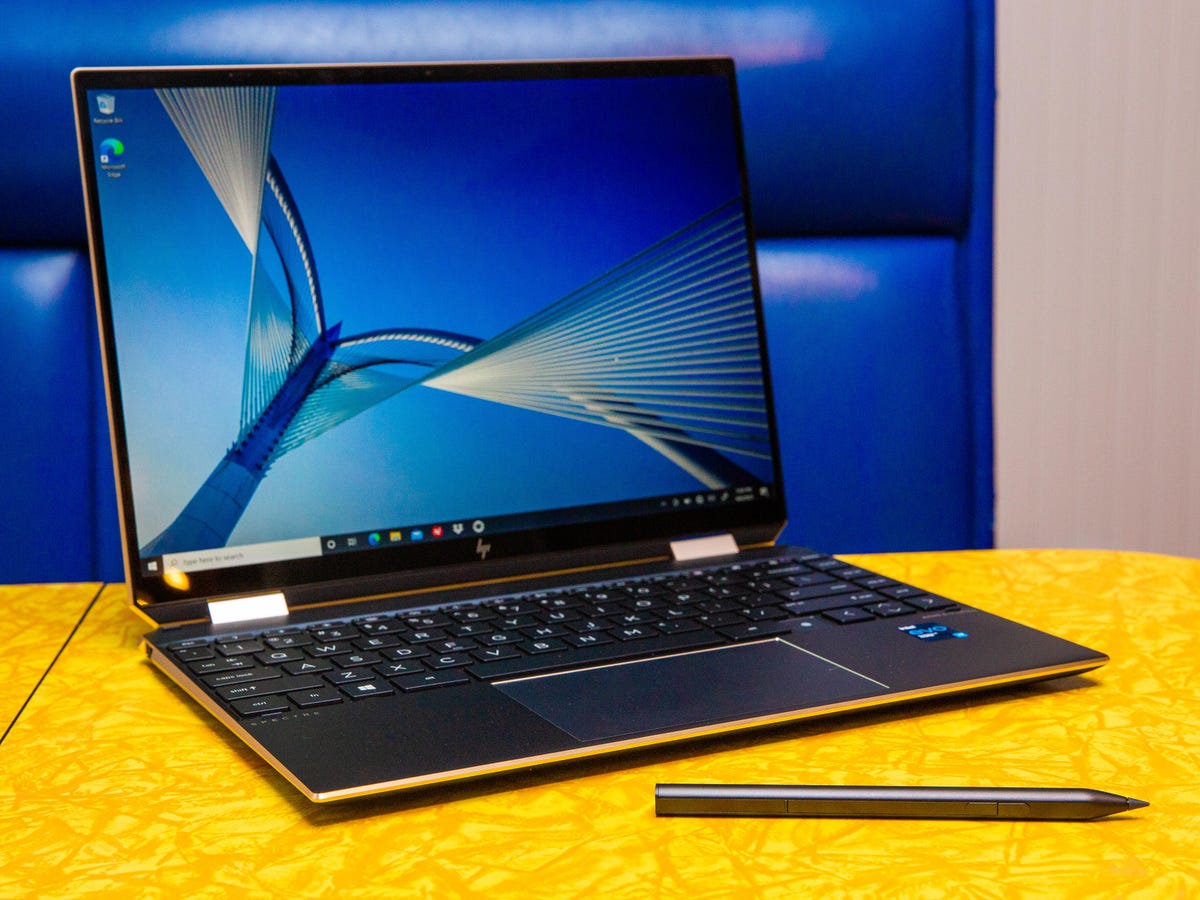
Perfect for creators, designers, and note-takers. The 360-degree hinge and touchscreen make it a flexible multitasking machine.
The HP Spectre x360 14 is consistently praised as a top 2-in-1 convertible for its stunning OLED/4K screens, premium build, versatile 360-degree hinge, excellent Bang & Olufsen audio, long battery life, and strong security features (facial recognition, fingerprint reader, webcam kill switch). It offers deep color, brightness (up to 1000 nits), pen support for creators, and durability with its aluminum/faux leather design, making it ideal for professionals and creatives needing adaptability for work, media, and travel.
Key Strengths:
- Display: Gorgeous OLED/4K options with rich colors, deep blacks, and high brightness, perfect for media and design.
- Versatility: 360-degree hinge allows seamless switching between laptop, tablet, tent, and stand modes.
- Audio: Bang & Olufsen speakers deliver clear, powerful sound.
- Design: Premium aluminum chassis with stylish faux leather accents, durable yet portable (around 3 lbs).
- Battery: Long life with fast charging capabilities (50% in 30 mins).
- Security: Integrated fingerprint reader, Windows Hello facial recognition, and physical webcam kill switch.
- Performance: Powered by Intel Core processors, supporting creators and multitaskers.
Who it’s for:
- Professionals needing security and portability.
- Creators and artists needing pen input and a great screen.
- Users who value premium design, audio, and display quality in a flexible form factor.
Note on Evolution: HP is transitioning its high-end lineup to the new OmniBook series, with the Spectre x360 becoming the {Link: OmniBook Flip, featuring new AI capabilities and sustainable designs, while retaining the popular x360 flexibility}.
Pros
- Touchscreen + stylus support
- Great for drawing and presentations
- Premium design
- Good battery and performance
Cons
- Not meant for gaming
- Slightly heavier due to convertible design
5. Asus ROG Strix Scar 16 — Best Gaming Laptop

If you need raw power, this is the beast. Designed for AAA gaming, rendering, 3D work, and anything intensive.
Yes, the ASUS ROG Strix SCAR 16 (2025) is widely considered a top-tier, no-compromise gaming laptop, delivering desktop-level performance with its latest Intel Core Ultra processors and NVIDIA RTX 50-series GPUs, featuring a stunning Mini-LED display, excellent build, and high-end specs like Wi-Fi 7, making it a powerhouse for enthusiasts despite its bulk and loud fans under load.
Key Strengths:
- Extreme Performance: Equipped with Intel Core Ultra 9 processors and up to NVIDIA GeForce RTX 5090 Laptop GPUs, it handles AAA games flawlessly.
- Stunning Mini-LED Display: The 16-inch, 2.5K (2560×1600) Nebula HDR Mini-LED screen offers high brightness (up to 1200 nits peak), 240Hz refresh rate, G-Sync, and excellent color accuracy.
- Premium Build & Features: Features an industrial gamer aesthetic with RGB, a tool-free access bottom cover, Thunderbolt 5, and a unique trackpad that doubles as a number pad.
- Upgradability: Offers support for PCIe Gen 5 SSDs and upgradable DDR5 RAM.
Considerations:
- Loud Fans: Gets very loud under heavy gaming loads, requiring headphones for the best experience.
- Portability: It’s a large, heavy machine (over 6 lbs) designed more as a portable desktop replacement.
- Software & Trackpad: Some users note messy software and occasional unresponsiveness with the trackpad.
Verdict:
The ROG Strix SCAR 16 (2025) is an ultimate gaming laptop for enthusiasts demanding top-tier performance and an incredible display, effectively bridging the gap between desktop and portable gaming, though its power comes with typical high-performance laptop drawbacks like fan noise and weight.
Pros
- Powerful CPU/GPU
- High refresh-rate display
- Perfect for gaming and editing
- Excellent cooling system
Cons
- Heavy and less portable
- Shorter battery life
- Expensive
6. Acer Aspire Go 15 — Best Budget Laptop

A value-packed choice for beginners, students, and everyday users.
Yes, the Acer Aspire Go 15 is widely considered a strong contender for the best budget laptop, especially for students and everyday users, praised for its excellent price-to-performance, good battery, full HD 16:10 display, comfortable keyboard, and modern ports, though its display colors are muted and graphics aren’t for heavy gaming. It offers solid performance for productivity and streaming, with models providing up to 24GB DDR5 RAM and large SSDs, making it versatile for different needs.
Key Strengths:
- Value: Excellent price point for the features offered, especially for budget-conscious buyers.
- Performance: Handles daily tasks, web browsing, and productivity apps well, with faster models for multitasking.
- Display: 1080p (Full HD) IPS screen with a beneficial 16:10 aspect ratio for more vertical content.
- Battery: Good battery life, lasting for a full day of mixed use on many configurations.
- Connectivity: USB-C (with charging support), USB-A, HDMI, Wi-Fi 6, and a decent 1080p webcam.
- Upgradability: Often includes a free RAM slot for future upgrades.
Considerations:
- Display Colors: Color accuracy is average (around 45% NTSC), suitable for work but not professional creative tasks.
- Graphics: Integrated Intel UHD graphics are fine for light gaming but not demanding titles.
- Keyboard: Full-size with numpad, but key travel is shallow and lacks backlighting.
Who it’s for:
- Students: Great for note-taking, research, and streaming.
- Office Workers: Ideal for document editing, emails, and video calls.
- Casual Users: Perfect for general home use and media consumption.
In summary, the Acer Aspire Go 15 delivers exceptional value as a reliable, budget-friendly machine for everyday computing, making it a top choice in its category.
Pros
- Affordable
- Reliable performance for everyday tasks
- Good selection of ports
Cons
- Not for heavy workloads
- Basic display and build quality
7. Lenovo ThinkPad X1 Carbon — Best for Business Users
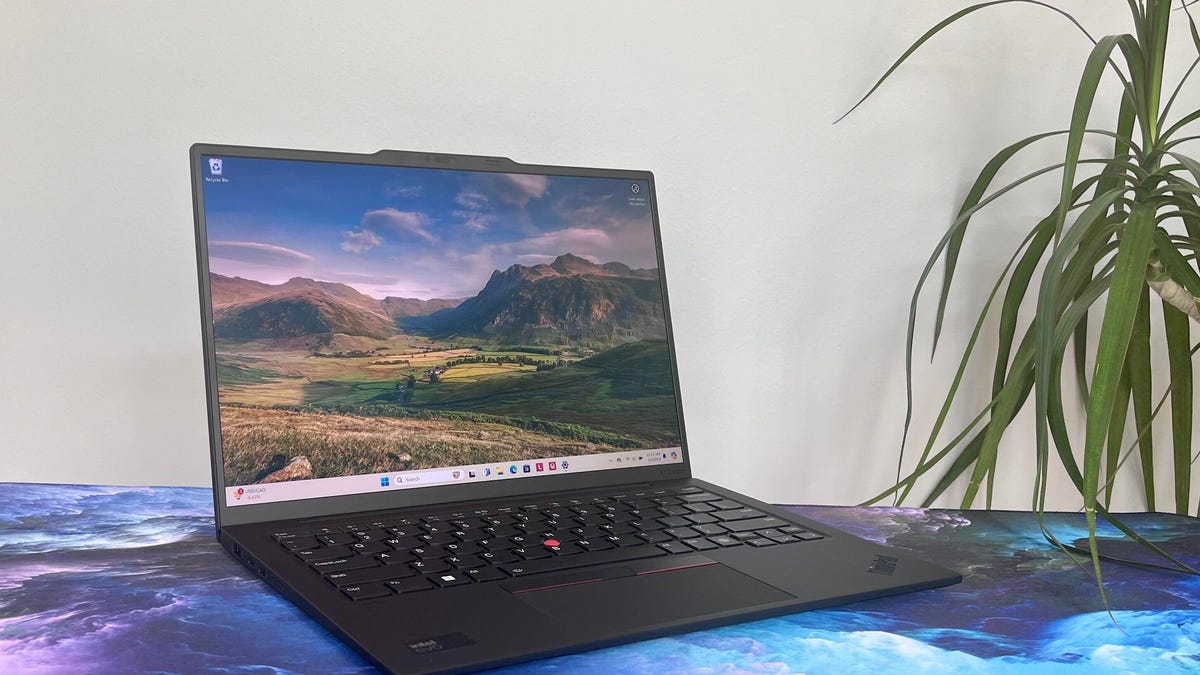
A professional-grade machine with durability, performance, and comfort for long working hours.
The Lenovo ThinkPad X1 Carbon is widely considered a top choice for business users due to its blend of lightweight portability (carbon fiber build), exceptional durability (MIL-STD tested), strong performance (latest Intel processors), and robust security features (ThinkShield, dTPM, Windows Hello), making it ideal for professionals needing power, security, and reliability on the go, though its premium features command a higher price.
Key Strengths for Business Users:
- Unmatched Portability: Ultra-lightweight carbon fiber chassis, weighing just over 2 lbs, perfect for frequent travel.
- Rock-Solid Security: Features ThinkShield security suite, dTPM chip for data encryption, and optional biometrics (fac e/fingerprint) for secure login.
- Premium Build & Durability: MIL-STD-810H tested to withstand extreme conditions; robust design for enterprise environments.
- Superior User Experience: Known for comfortable keyboards, the iconic TrackPoint, and excellent display options (OLED available).
- Performance: Equipped with powerful Intel Core processors (vPro options) for demanding multitasking and heavy workloads.
- Connectivity: Includes essential ports like Thunderbolt 4, USB-A, HDMI, plus optional 5G for constant connectivity.
Considerations:
- Price: Its premium build and features place it in a higher price bracket, justified for specific users prioritizing high-end performance and brand value.
- Fingerprint Magnet: The carbon fiber finish can show fingerprints and minor scratches easily.
In essence, the X1 Carbon offers a near-perfect package of performance, security, and portability, solidifying its reputation as a benchmark business laptop for executives and mobile professionals.
Pros
- Extremely durable
- Best keyboard on any laptop
- Lightweight but powerful
- Ideal for office and business work
Cons
- Pricey
- Not suitable for gaming or rendering
8. Microsoft Surface Laptop (2025) — Best Lightweight Windows Laptop
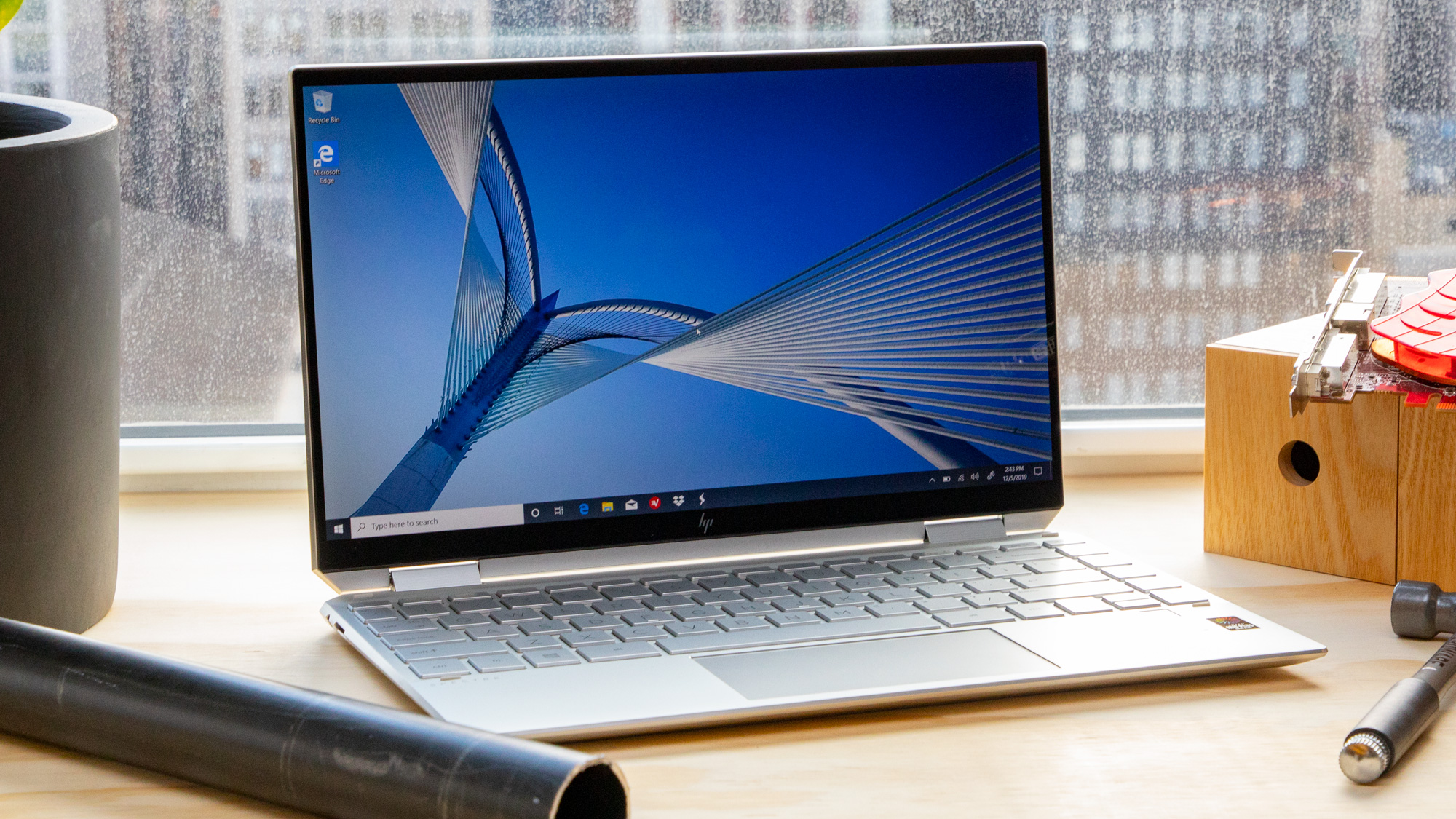
If you want pure Windows elegance in a super-slim form, this is the perfect choice.
The 2025 Microsoft Surface Laptop is indeed a top contender for the best lightweight Windows laptop, featuring powerful Snapdragon X series chips for AI, excellent battery life (up to 23 hrs video), vibrant touchscreen displays, and the ultraportable design of the 13-inch model, making it a sleek, powerful, and portable choice for general productivity, AI tasks, and students, though pricing can be a factor.
Key Features & Why It’s Great for Lightweight Use:
- Processor Power: Utilizes the new Snapdragon X Plus (or X Elite on larger models) with a powerful NPU for on-device AI, a major leap for Windows laptops.
- Stunning Display: Features bright PixelSense touchscreen displays with good resolution, perfect for touch interaction and vibrant visuals.
- Exceptional Battery: Promises extremely long battery life, with up to 23 hours of video playback, meaning you can work unplugged all day.
- Ultra-Light Design: The 13-inch model is particularly light and compact, ideal for carrying around.
- AI Integration: As a Copilot+ PC, it’s built for AI features within Windows 11, enhancing productivity.
- Premium Build: Known for its high-quality, thin, and light construction, often praised for its keyboard and overall feel.
Who is it for?
- Students and Professionals needing portability.
- Users interested in AI features.
- Anyone wanting a premium Windows experience in a light package.
Considerations:
- While powerful, some may find the price point high, but it offers significant value for its performance and portability.
In essence, the 2025 Surface Laptop delivers on portability and performance, especially with its AI capabilities, making it a strong choice for a lightweight Windows machine.
Pros
- Lightweight and premium
- Smooth Windows experience
- Great for students and professionals
Cons
- Limited upgrade options
- Not ideal for gaming
Comparison Table With Specs
| Laptop Model | Display | Processor | RAM | Storage | Graphics | Battery Life | Best For |
|---|---|---|---|---|---|---|---|
| MacBook Air M4 | 13.6″ Liquid Retina | Apple M4 | 8–16GB | 256GB–1TB SSD | Integrated | 12–15 hrs | Students & professionals |
| ASUS Zenbook S 16 | 16″ OLED | AMD/Intel 2025 series | 16GB+ | 512GB–1TB SSD | Integrated | 10–12 hrs | Creators & productivity |
| Dell XPS 13 | 13.4″ FHD+/OLED | Intel 2025 | 16GB | 512GB–1TB SSD | Integrated | 10 hrs | Travelers, remote workers |
| HP Spectre x360 14 | 14″ Touch OLED | Intel 2025 | 16GB | 512GB–1TB SSD | Integrated | 10 hrs | Students, creators, 2-in-1 users |
| ROG Strix Scar 16 | 16″ QHD | Intel/AMD + RTX | 16–32GB | 1–2TB SSD | RTX GPU | 4–6 hrs | Gaming & heavy editing |
| Acer Aspire Go 15 | 15.6″ FHD | Intel/AMD | 8–16GB | 256–512GB SSD | Integrated | 8 hrs | Budget users |
| Lenovo ThinkPad X1 Carbon | 14″ FHD+/OLED | Intel 2025 | 16GB | 512GB–1TB SSD | Integrated | 9–11 hrs | Business users |
| Surface Laptop 2025 | 13.8″ / 15″ | Qualcomm/Intel | 8–16GB | 256GB–1TB SSD | Integrated | 10–13 hrs | Students & on-the-go users |
Short, Dramatic Version of the Article (100–150 Words)
The future of laptops is here—and 2025 brings some of the most powerful, smartest, and most stunning machines ever created. Whether you’re a student chasing speed, a gamer craving raw power, or a professional demanding reliability, there’s a perfect laptop waiting for you.
The MacBook Air M4 leads with unmatched battery life. The Zenbook S 16 shines with its gorgeous OLED screen. The Dell XPS 13 is a masterpiece of portability, while the HP Spectre x360 transforms your desk with its 2-in-1 magic. Gamers will fall in love with the ROG Strix Scar 16, a true performance monster.
Whatever your needs—work, travel, creation, or gaming—2025 has a laptop built exactly for your journe
best laptops